No one knows the password
Passfuse makes every password itself: long, random, and different for every app and every person. Staff never see one and never type one.
Passfuse signs your staff into the apps they work in, using passwords it makes itself and nobody ever sees. Nothing on a sticky note. Nothing to read out over the phone. Nothing to walk out the door with when someone leaves.
Gmail and Outlook are built in. For anything else, give Passfuse the app’s name and web address. The first person to sign in shows it the way, and everyone after is taken straight there.
Any website with a username and password sign-in page
The manager gets a YubiKey, a small hardware security key made by Yubico, plus a PIN. Plug it in to manage your office’s sign-ins; pull it out and the console locks itself.
Each employee installs Passfuse on their own computer and types the manager’s join code. From then on they get in with a six-digit code from the authenticator app on their phone.
For each app, the employee signs in one last time and presses Activate password. Passfuse replaces the old password with a long random one, then signs in again with it to prove it works.
Opening an app now means Passfuse fills in the username and password by itself. The employee never sees it, so there is nothing to write down, reuse, or give to someone who asks nicely.
This is what an employee sees all day: the app opens, Passfuse fills in the sign-in, and they get to work. When a page tries to change the password, Passfuse covers it.

Most break-ins at a small office don’t start with code. They start with a phone call, a convincing email, or a login that should have been switched off months ago. Passfuse is built around three rules.
Passfuse makes every password itself: long, random, and different for every app and every person. Staff never see one and never type one.
Passfuse covers each app’s change-password and forgot-password pages in the windows it opens, and writes every attempt to the manager’s log. A fake support call has nothing to ask for.
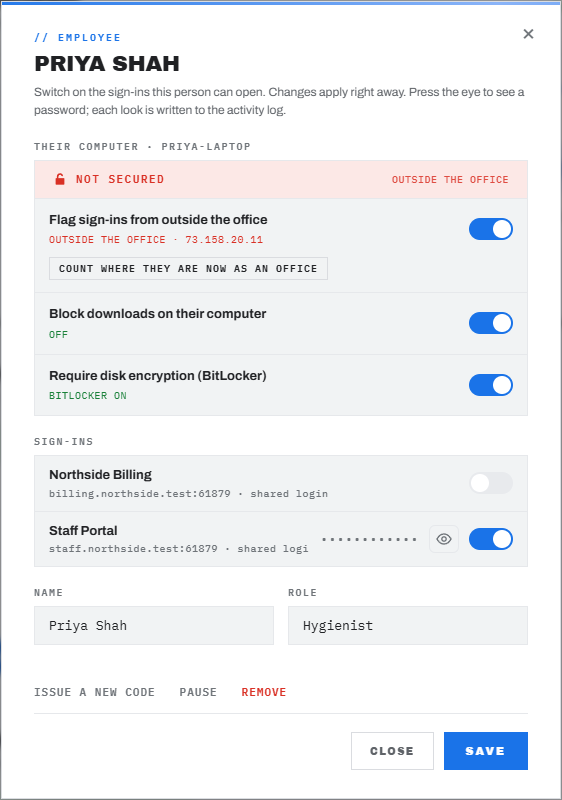
Every computer reports whether its disk is encrypted, whether it is on the office network, and whether downloads are off. Remove a person and Passfuse replaces every password they could reach.
Who is on, whose computer passes every check, and the code new staff use to join. This is the real dashboard, shown with a practice office.
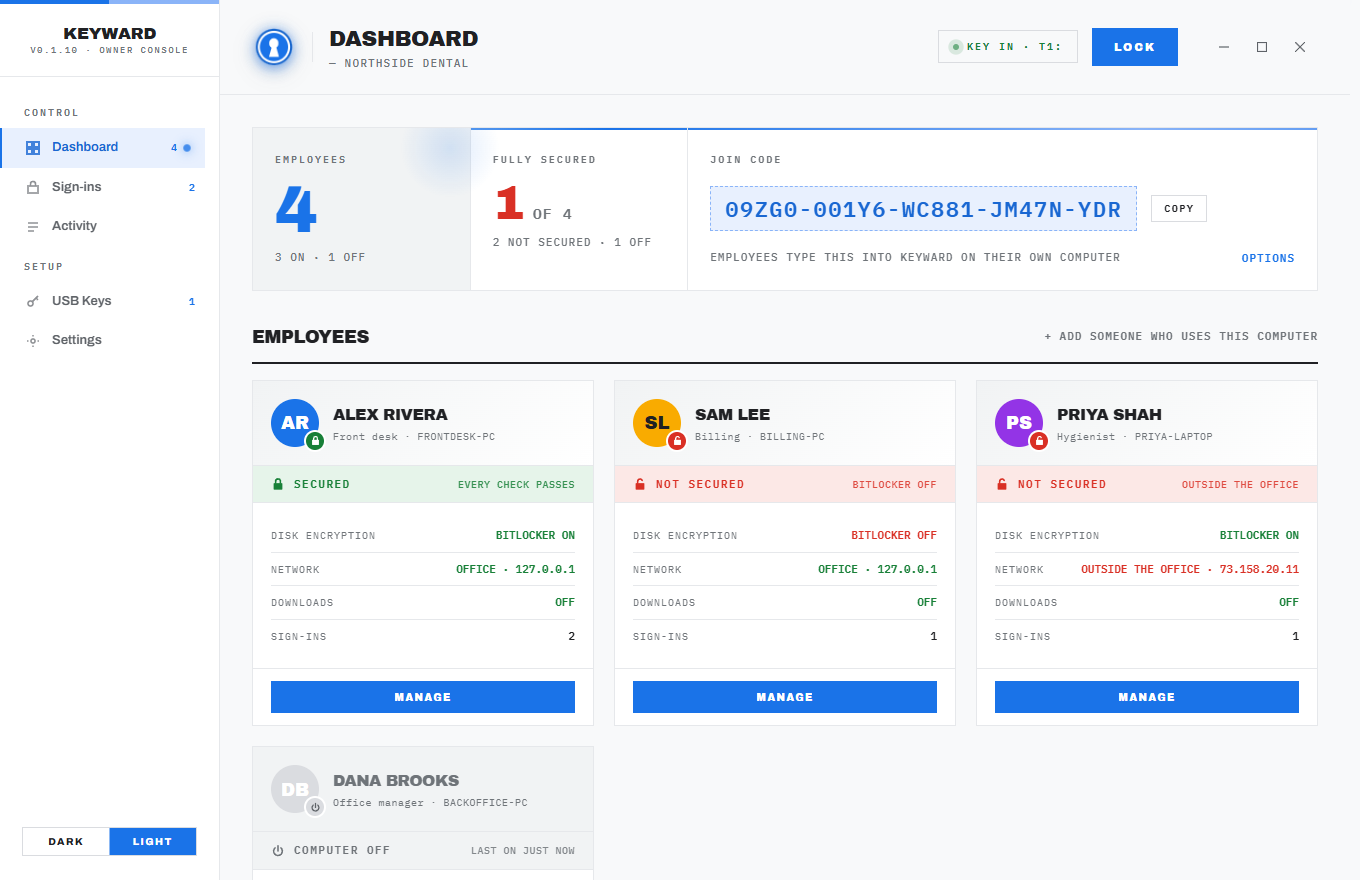
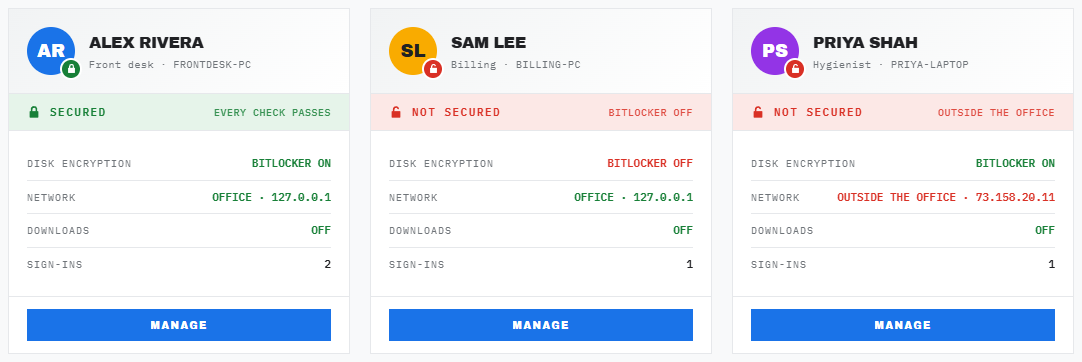
Swipe to see each computer
Every password, setting and backup is locked with AES-256 encryption, the same standard banks use, and sealed to your own computers by Windows. There is no Passfuse cloud holding your passwords and no account with us for an attacker to break into.
The manager unlocks Passfuse with a YubiKey, the hardware security key made by Yubico, plus a PIN. It can’t be copied, phished or guessed, and without it in the computer the console stays shut.
There is no recovery code, no reset email and no “forgot my PIN” link, so there is nothing for an attacker to request. Your backup is a second YubiKey, kept somewhere safe.
A manager can reveal a password when it is truly needed. Each look goes in the activity log, next to blocked password pages and sign-ins from outside the office.
Passfuse fills a password in on the app’s own site and nowhere else. A look-alike page gets nothing, because your staff have no password to type into it.
Passfuse installs an update only when it carries our signature, so nobody can push a doctored copy to your office.
Passfuse on their Windows computer, the join code from their manager, and an authenticator app on their phone for the six-digit code. That is all.
Websites with a username and password sign-in page. Gmail and Outlook are built in; for other apps the manager adds a name and web address. Programs installed on Windows that are not websites are not covered yet.
Those keep working. Passfuse types the password, and the employee still answers the app’s own second step themselves.
Yes, one at a time, under Manage, and every look is logged. Employees cannot.
The backup YubiKey opens the console and replaces the lost one. With no key at all, nobody gets in, and that includes us. Make the backup on day one.
Whether it is switched on, whether its disk is encrypted, which network it is on, and which work apps were opened through Passfuse. Passfuse tells each employee this before they join.
Tell us about your office and we’ll show you how Passfuse would work there.